Desktop Projects
A curated collection of desktop applications focusing on C# and .NET Framework. Featuring event-driven architecture, structured UI design, and persistent data management.

Driving Licenses Dept.
4thA comprehensive desktop application built with C# and .NET for managing driving licenses, vehicles, and client records. Features complex database integration and structured user interfaces.

Ajr Notification App
3rdA C# desktop application that displays system tray notifications containing Islamic Doua (prayers) at user-defined intervals. Employs background worker threads and timer events.

To-Do List App
2ndA desktop to-do list application to manage tasks, built with C# and Windows Forms, featuring task persistence and state management.

Tic-Tac-Toe Game
1stA simple desktop Tic-Tac-Toe game built with C# and Windows Forms, featuring two-player gameplay and round tracking.
Driving Licenses
Management System
A full-scale enterprise application designed to automate the lifecycle of driving license issuance, vehicle registration, and fine management.
Overview
The Driving Licenses Management System (DVLD) is a professional-grade MIS developed to solve the real-world complexity of managing citizens, licenses, vehicles, and violations. Built with a robust SQL Server backend and a multi-tier C# architecture.
Learnings
This project served as a deep dive into enterprise software development patterns. I focused on building a scalable architecture that separates data access, business logic, and UI concerns.
- Data Layer Advanced SQL normalization, complex stored procedures, and ADO.NET data access optimization.
- Architecture Implementation of a 3-Layer Architecture (DAL, BAL, UI) to ensure maintainability and testability.
System Features
License Lifecycle Management
Comprehensive handling of applications, tests (Vision, Written, Street), issuance, renewals, and replacements.
User Access Control
Role-based security system managing user permissions, login tracking, and data integrity.
Screenshots
Ajr – Athkar Reminder
A lightweight background utility that ensures spiritual mindfulness by providing timed system tray notifications.
Overview
Ajr is a simple Windows desktop utility built with C# and Windows Forms to help users stay mindful throughout their busy day. The application sits quietly in the system tray and displays periodic notifications (balloon tips) containing Islamic Doua (prayers).
The app is designed to be as unobtrusive as possible, using native Windows notification features and background timers to deliver reminders without interrupting the user’s workflow.
Learning Highlights
This was my first project working with background services and system tray integration. I learned how to manage application life cycles where the main form is hidden but the program remains active in the background. I also practiced using timers and event handlers to trigger actions automatically at specific intervals, which strengthened my understanding of event-driven programming.
Code Structure
-
Form1 (Main Form): Handles the main background logic, initializes the NotifyIcon, and manages the timer that triggers notifications.
-
About (Form): A simple pop-up that displays information about the application and its purpose.
-
NotifyIcon (Component): The bridge between the app and the Windows System Tray, handling the icon display, context menu, and balloon notifications.
App Logic
The app’s logic is centered around a background timer. Once started, the timer runs at a fixed interval (e.g., every 5 minutes). When the timer "ticks," the program randomly selects a prayer from a predefined list and displays it using the NotifyIcon’s ShowBalloonTip method. The context menu allows the user to manually control the app, including opening the About section or exiting the program completely.
Features
- Background system tray operation.
- Native Windows balloon notifications.
- Custom context menu for easy control.
- Lightweight and resource-efficient.
Try The App
Download the project as a ZIP folder and extract it. Once unpacked, you can run the program directly. Download it here.
Source Code
Visit the project repository on GitHub to view source code from here.
To-Do List
Application
A focused desktop tool for organized task management, utilizing local JSON persistence.
Overview
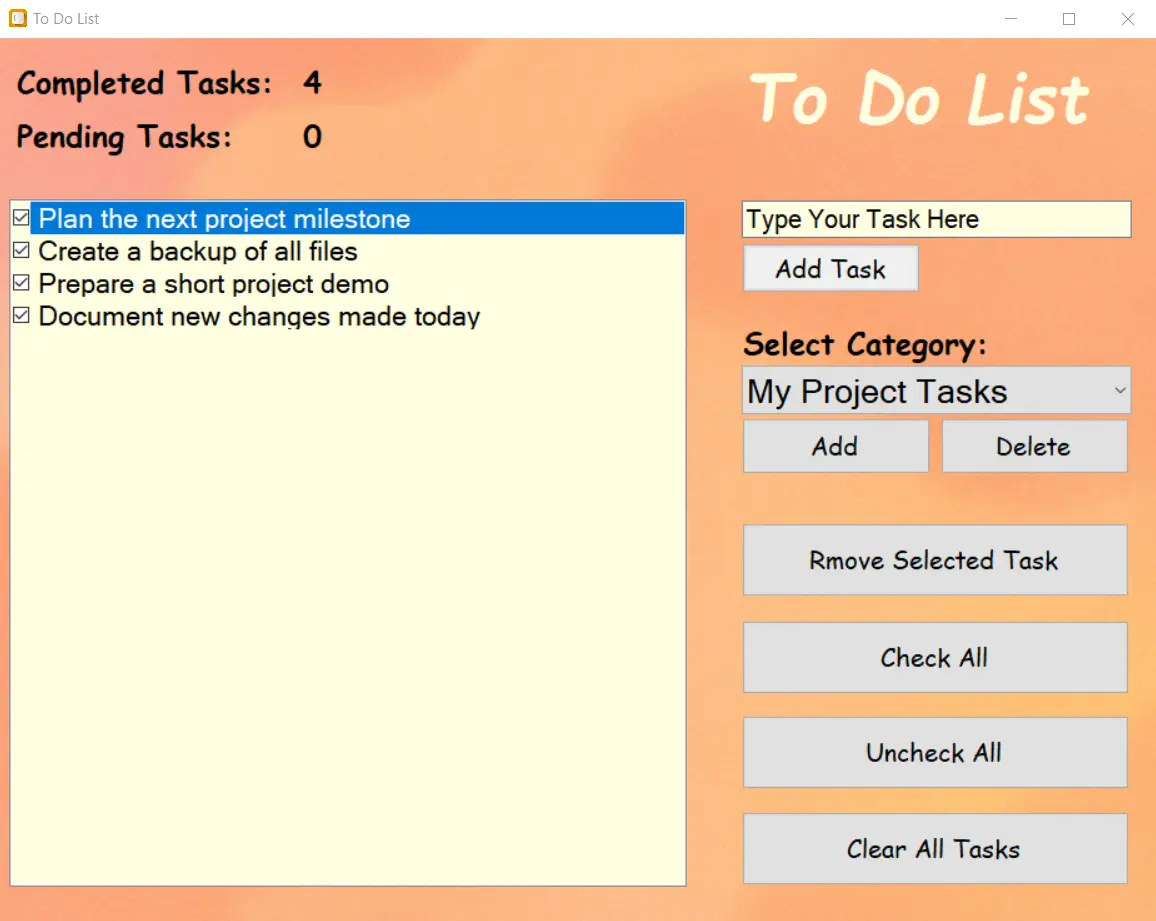
To-Do List App is a small Windows desktop app for organizing everyday tasks. You can create categories, add tasks under each one, and mark tasks as done, reset them, or remove them when you're finished. The app stays simple on purpose, no database, no sync, no extra setup. It saves everything in a small local JSON file, so your tasks return exactly the same next time you open it.
Learning Highlights
I learned how to structure tasks using a Dictionary where each category holds its own list of tasks. I also practiced reacting to user actions directly in the UI, like marking tasks as done or resetting them. This was my first project using JSON for saving data, so I learned how to serialize and deserialize objects cleanly without needing a database.
Code Structure
-
MainForm (Form): The main window that displays categories and tasks and handles actions like adding, completing, resetting, and removing tasks.
-
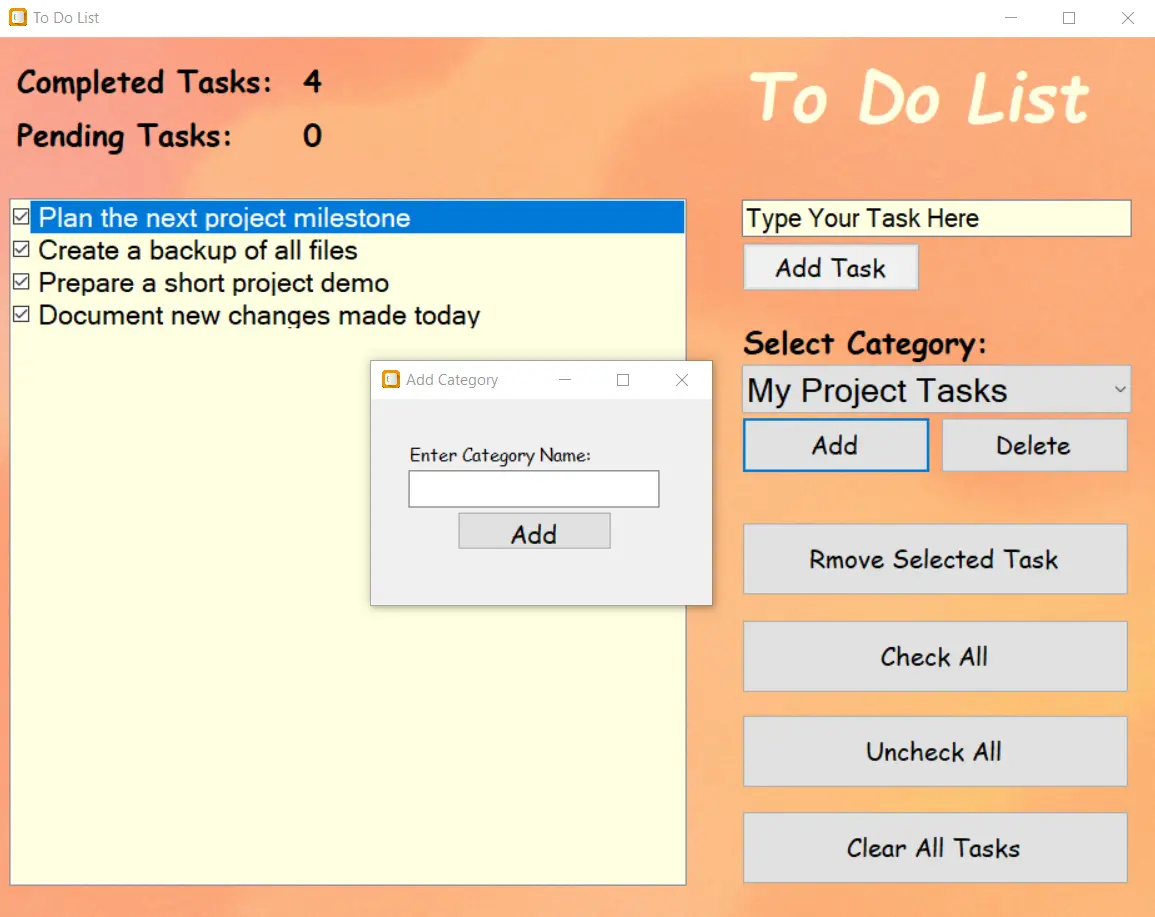
AddCategoryForm: A small pop-up used to create a new category.
-
Data Structure: Tasks are managed in a
Dictionary<string, List<TaskInfo>>.
Features
- Create custom task categories.
- Add new tasks under each category.
- Mark tasks as done or reset them.
- Delete individual tasks when finished.
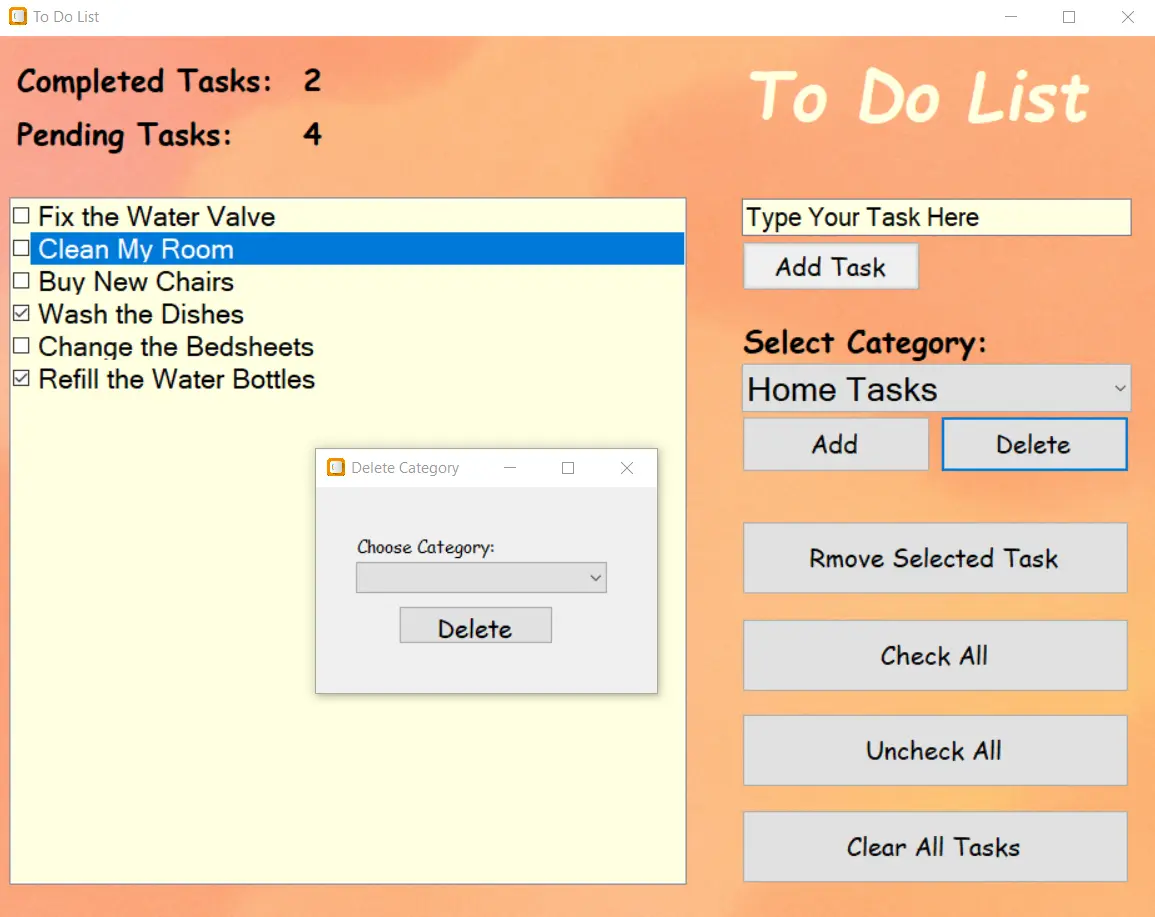
- Delete an entire category if it’s no longer needed.
- Select all or unselect all tasks with one action.
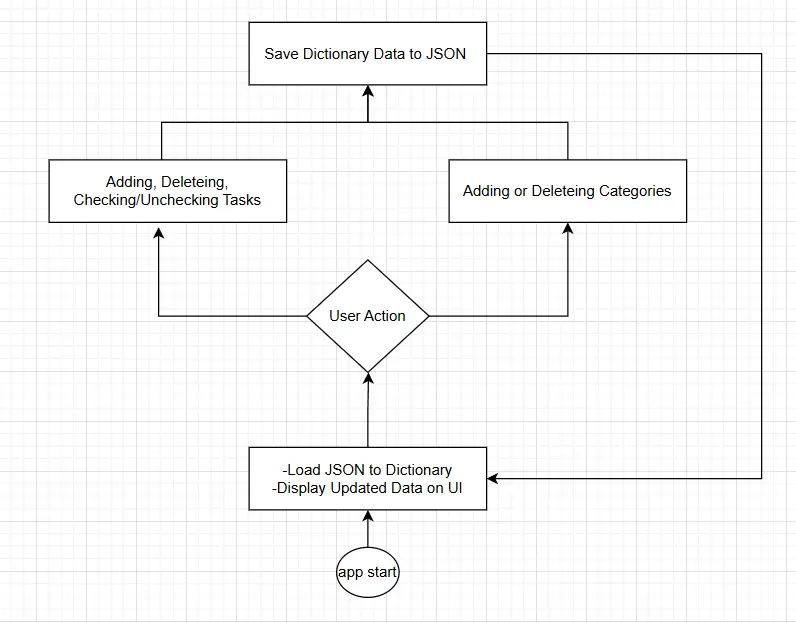
- Changes are saved automatically without needing a save button.
Data Storage
The app doesn’t use a database. It keeps all categories and tasks inside one small JSON file. Whenever you add, complete, reset, or delete a task, the app updates the file automatically so you don’t have to save anything manually.
When you open the app again, it reads that file and restores your tasks exactly the same as before. The file is stored locally in your user AppData folder:
C:\Users\(Username)\AppData\Local\ToDoList\tasks_data.jsonScreenshots
Try The Project
Download the project as a ZIP folder and extract it. Once unpacked, you can run the program directly. Download it here.
Source Code
Visit the project repository on GitHub to view source code from here.
Tic-Tac-Toe
Engine
A strategic implementation of the classic game featuring a bitwise win-detection algorithm.
Overview
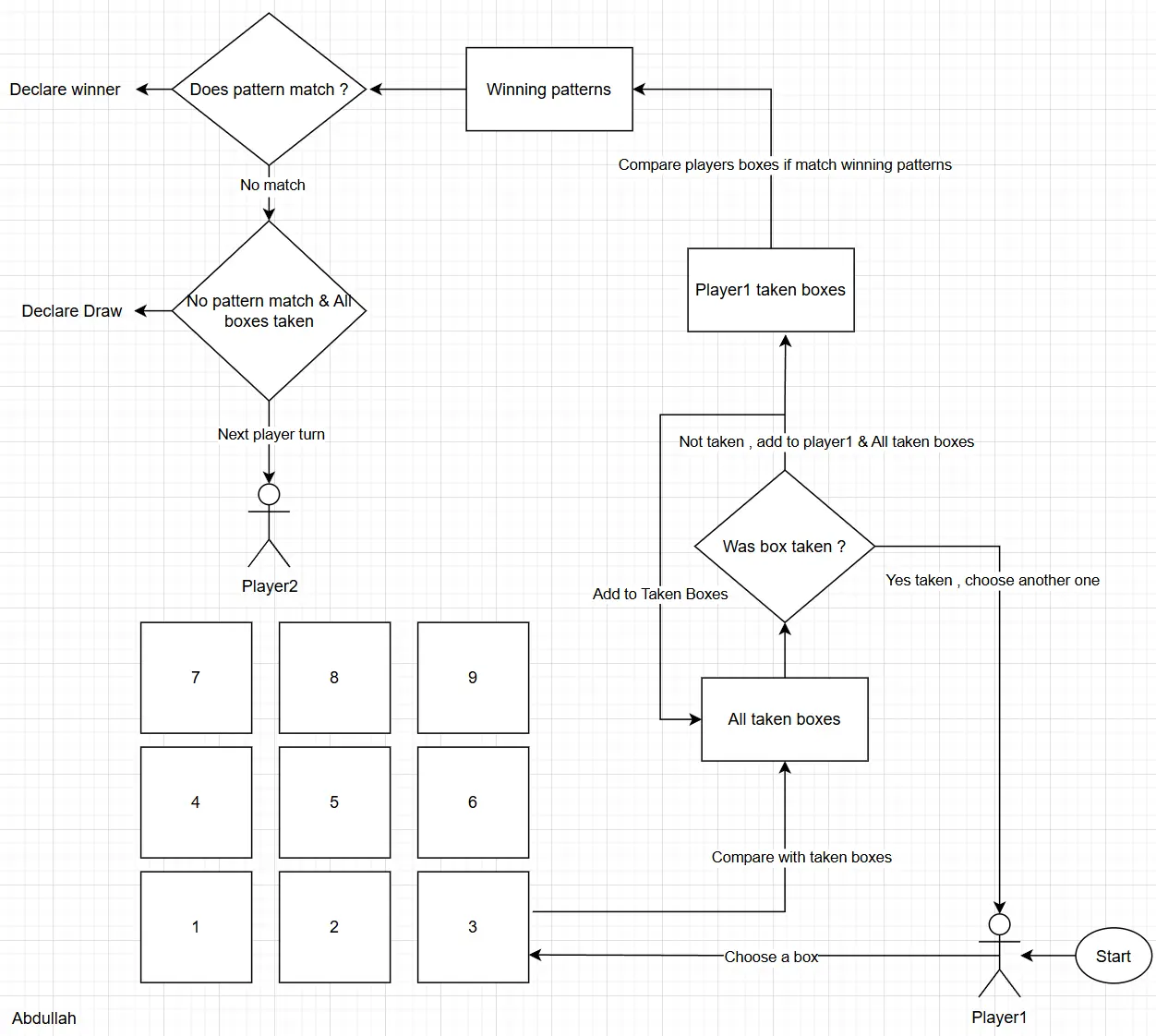
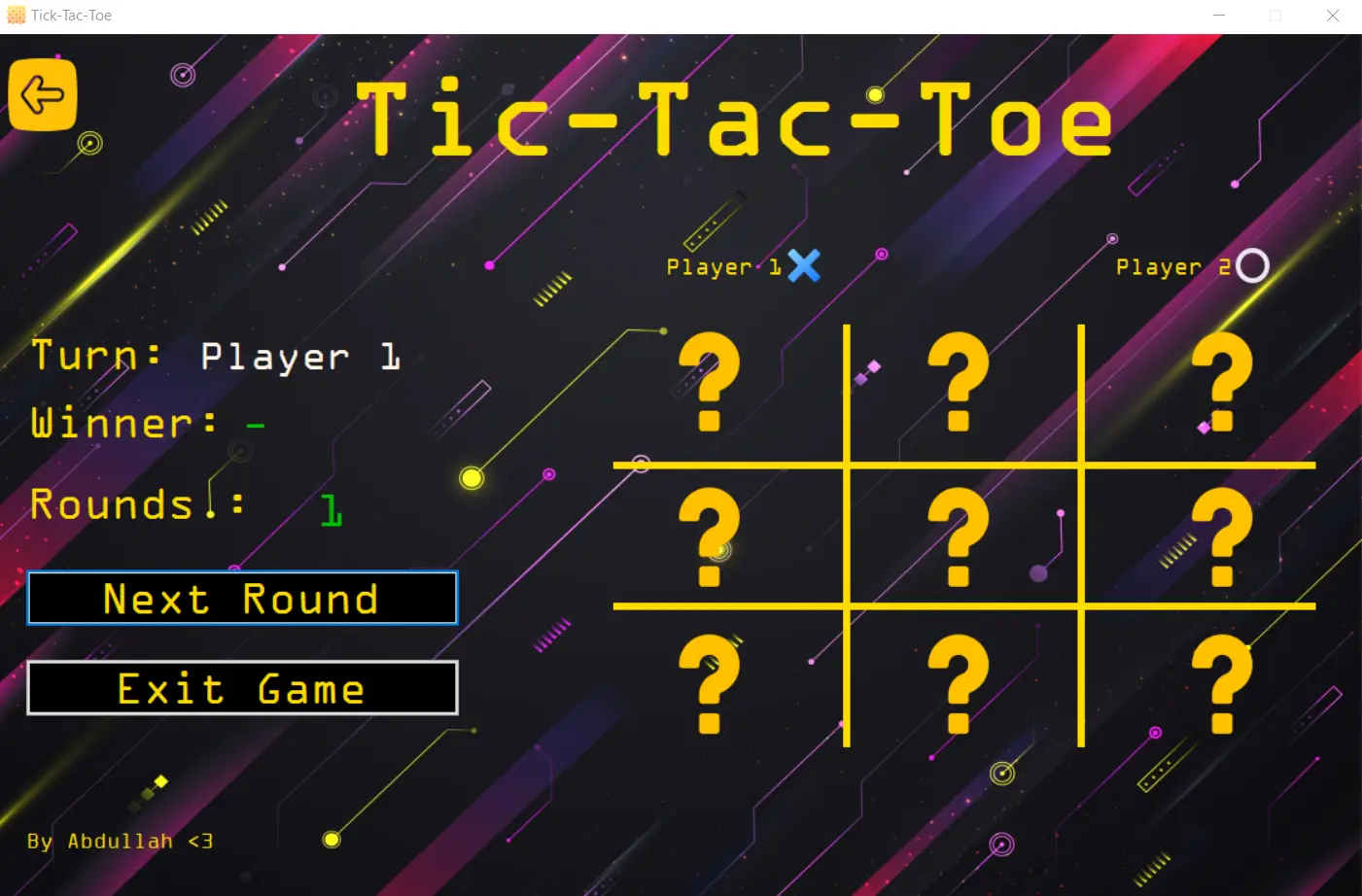
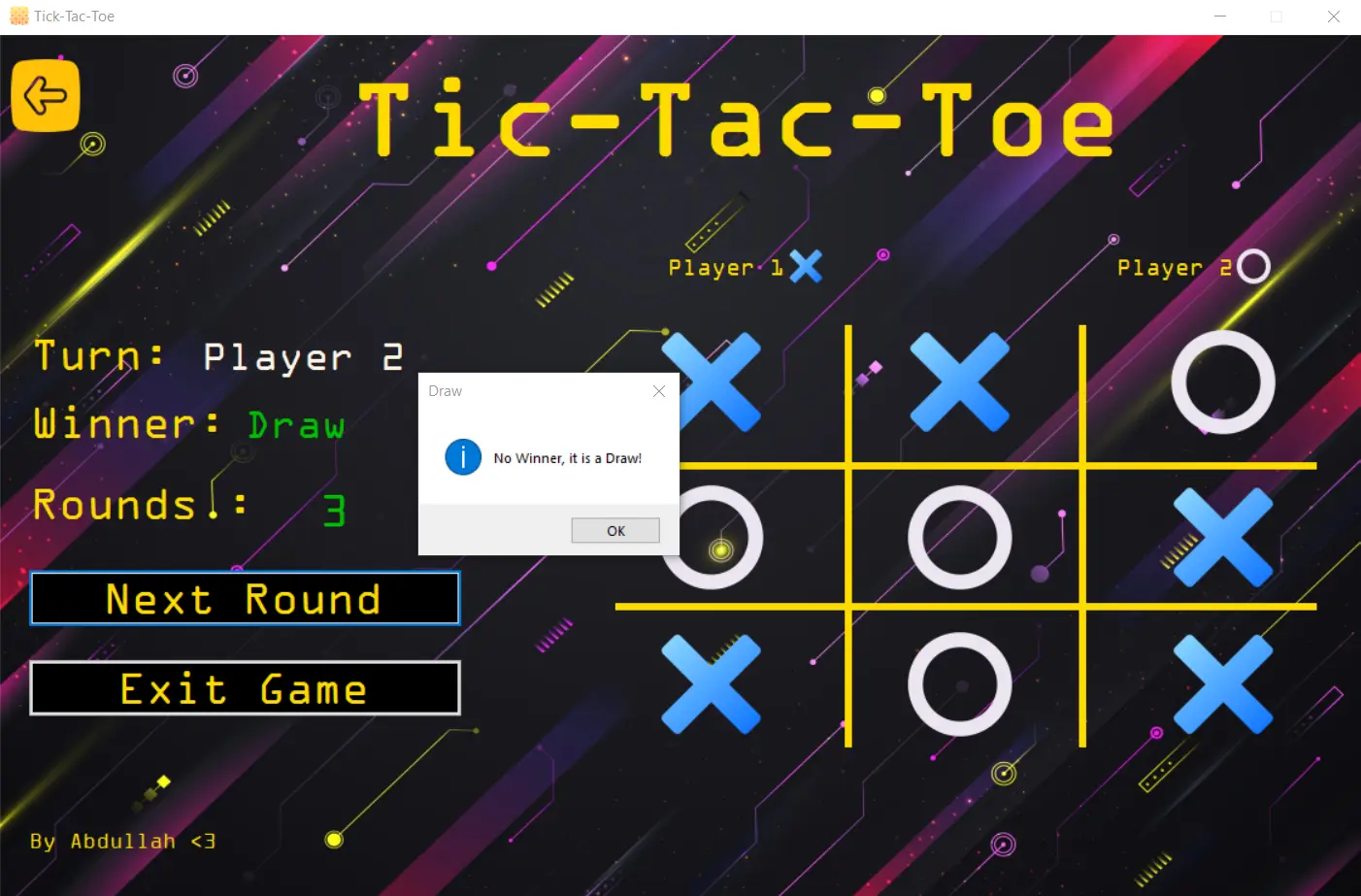
Tic-Tac-Toe is a simple two-player desktop game built using C# and Windows Forms. The interface shows a 3×3 grid, and each player takes turns placing their symbol (X or O). The game updates the board instantly, checks for wins or draws, and lets you restart the match at any time.
The win detection is done using a bitwise approach. Each square on the grid has a unique bit value, and each move adds that value to the player's bit pattern. The game then compares the player's pattern against pre-defined winning masks to check for a win quickly and cleanly.
Learnings
Working on a desktop application helped me understand how logic flows through user interactions rather than linear code execution. It taught me how every click, input, and visual update becomes an event that drives the entire program behavior. I learned to combine responsive UI design, structured logic, and real-time feedback.
System Flow
-
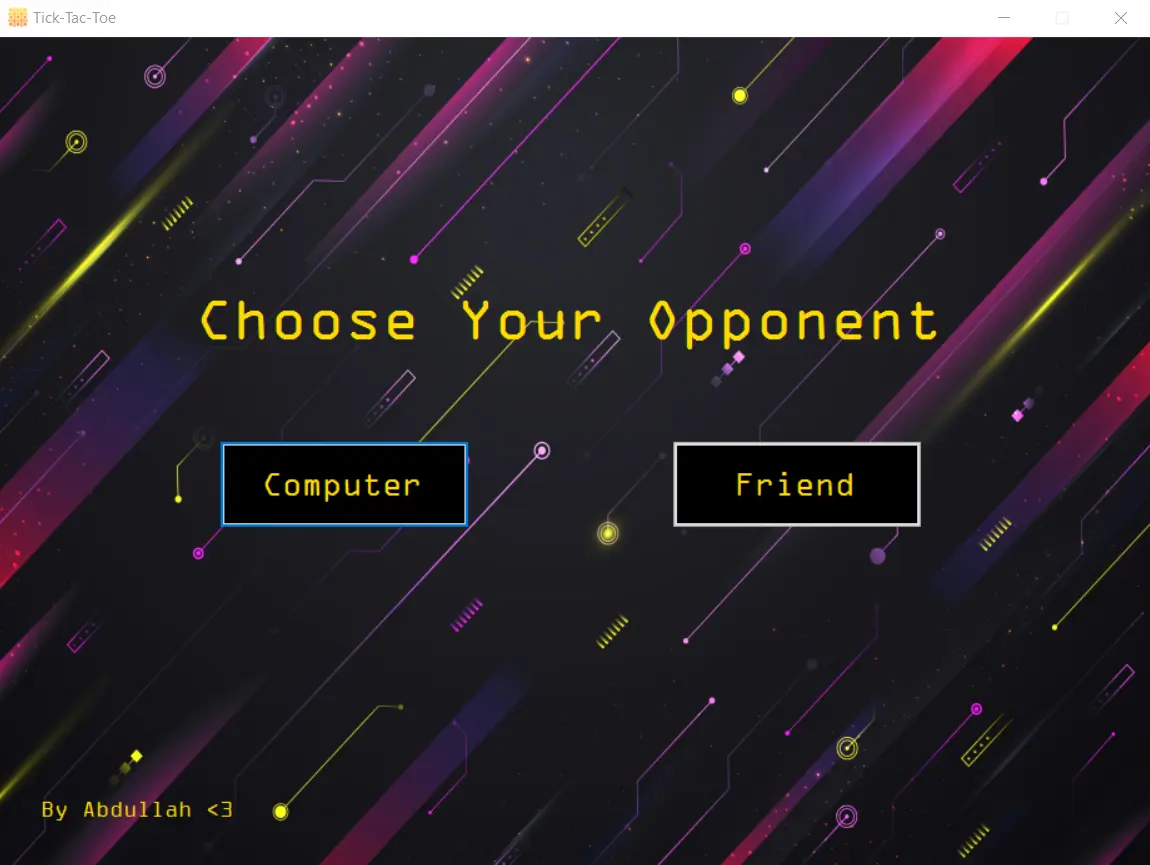
MainForm: The game starts here, where the player chooses either Friend or Computer mode.
-
Board Update: The clicked box image changes to X or O, and its bit flag is added to the corresponding player’s bit pattern.
-
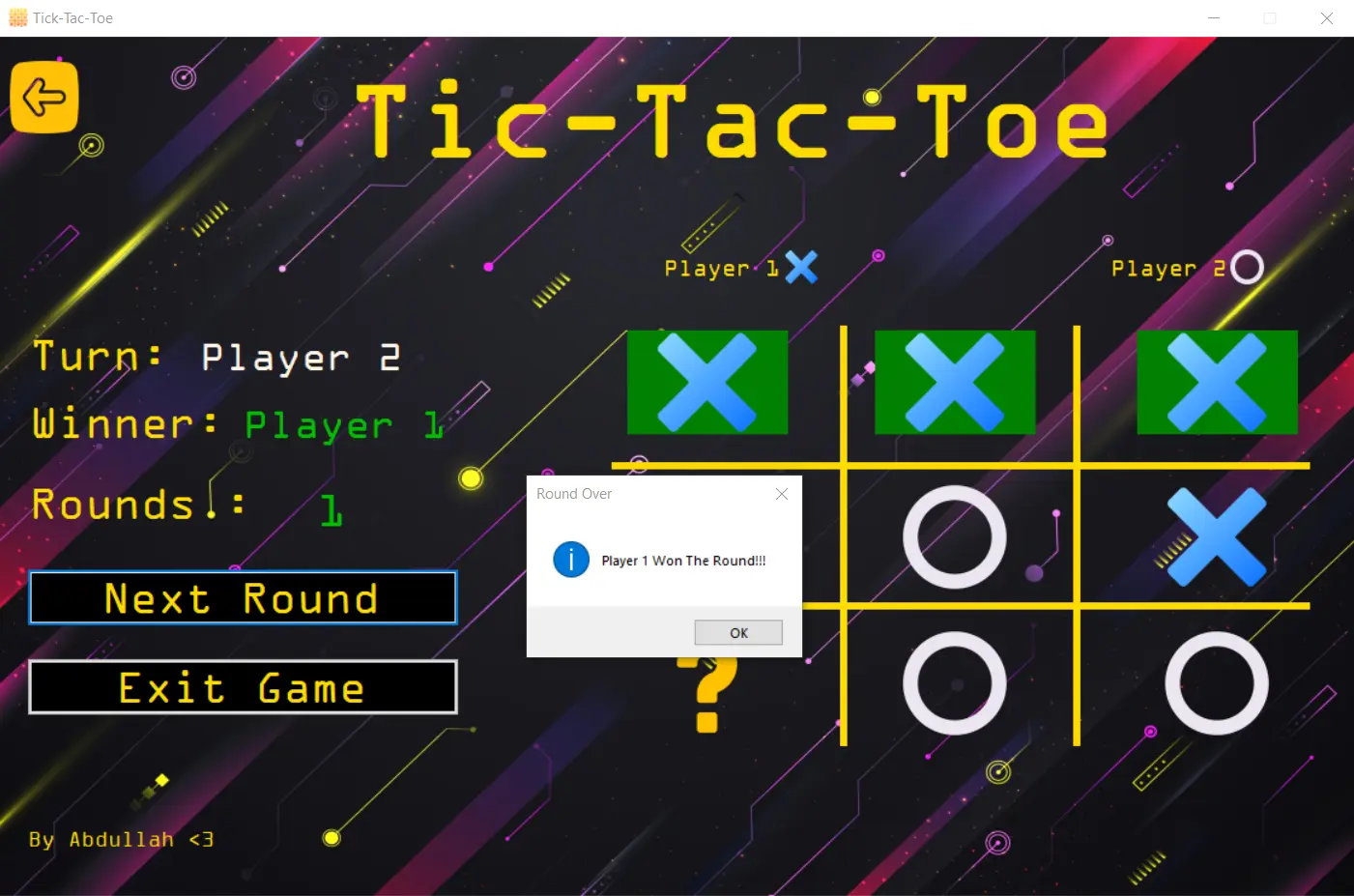
Result Check: The program compares the player’s bit pattern against winning combinations to detect a win or draw.
Code Structure
- MainForm: The main menu of the game. It displays two mode options — Friend or Computer — each button tagged with its mode and handled by a single click event that opens the GameForm.
- GameForm: Contains the entire gameplay logic. It draws the grid inside a Panel, assigns bitwise tags to each picture box, handles all click events, updates player bit patterns, and checks for win or draw conditions.
- Program: The entry point of the application. It initializes the Windows Forms environment and runs the MainForm.
Techniques
- Bitwise System: Each box on the grid uses an enum flag (1, 2, 4, 8, …, 256) stored in its Tag. The game combines these flags with bitwise OR operations and checks predefined masks with & to detect wins efficiently.
- Unified Click Handler: A single event manages all nine picture boxes, simplifying logic and reducing repetitive code by using each box’s Tag as a unique identifier.
- GDI+ Drawing: The board grid is drawn directly inside the Panel using smooth, high-quality lines for a clean grid appearance.
Game Modes
- Friend Mode: Two players take turns on the same device. The interface updates the Current Player label after every move, clearly showing whose turn it is.
- Computer Mode: The second player is controlled by the program, which automatically selects a random available box after the player’s turn and runs the same logic for move validation and win checking.
UI & Visuals
- Retro theme (black + neon yellow) with OCR A Extended headings.
- X/O assets swapped into picture boxes; winning line tiles turn green.
- Board grid drawn within the panel (not the form) for precise alignment.
Screenshots
Try The Project
Download the project as a ZIP folder and extract it. Once unpacked, you can run the program directly. Download it here.
Source Code
Visit the project repository on GitHub to view source code from here.